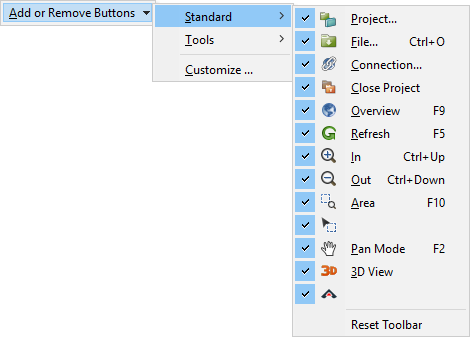
Menu | Reset Toolbar (toolbar) |
Restore a toolbar to its default state.
Related commands: Customize
Procedure
1. Select the arrow at the end of any toolbar.
The Add or Remove Buttons menu is displayed.
2. Select the menu.
All the toolbars are listed.
3. Select one of the toolbars.
All the tools on that toolbar are listed.
4. Select the Reset Toolbar command.
The selected toolbar is restored to its default state.