To create a One of Collector tool, right-click on an input or output port and click “New One of Collector”.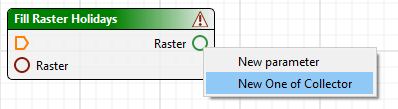
The One of Collector tool accepts multiple conditional input paths and outputs a single path. This is useful for handling conditional paths that have been split by the Branch tool and need to be rejoined for further processing.
To create a One of Collector tool, right-click on an input or output port and click “New One of Collector”.
To add multiple inputs, create a connector from the output port of the desired input tool to the  input port of the One of Collector tool. Repeat this for each input that you wish to add to the One of Collector tool.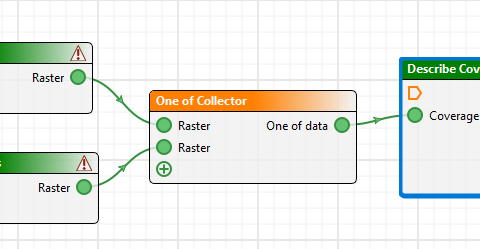
The One of Collector tool assumes that exactly one of its inputs will actually produce output. If none of its inputs produce output, the tool will fail. Likewise, if more than one of its inputs produce output, the tool will fail.
The One of Collector tool does not check whether its output (type and number) matches the input port to which it is connected. If there is a mismatch then the process will fail, so you must make sure that the output and input are compatible. For example, if the input port expects a single number, the One of Collector tool must output a single number, and if the input port expects a list of rasters, the One of Collector tool must output a list of rasters.