The inserted model is displayed with a teal-coloured title bar. In the example below, a Process Model for Creating or Updating a Surface has been inserted into the main Process Model, which is clearly identified by its teal colour. 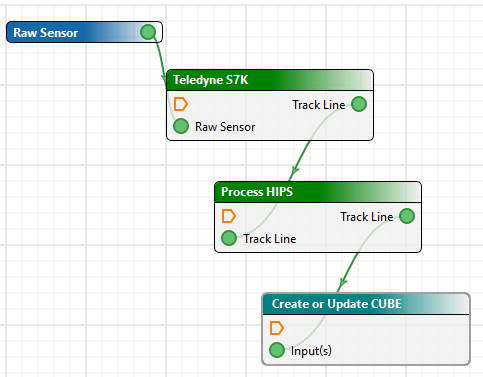
Include a Process Designer model inside another Process Designer model using File > Insert Model.
To insert an existing model file into an open model file:
1. Select the Insert Model command.
Menu | File > Insert Model |
The Open dialog box is displayed.
2. Browse to and select the model to be inserted.
3. Click Open.
The inserted model is displayed with a teal-coloured title bar. In the example below, a Process Model for Creating or Updating a Surface has been inserted into the main Process Model, which is clearly identified by its teal colour.