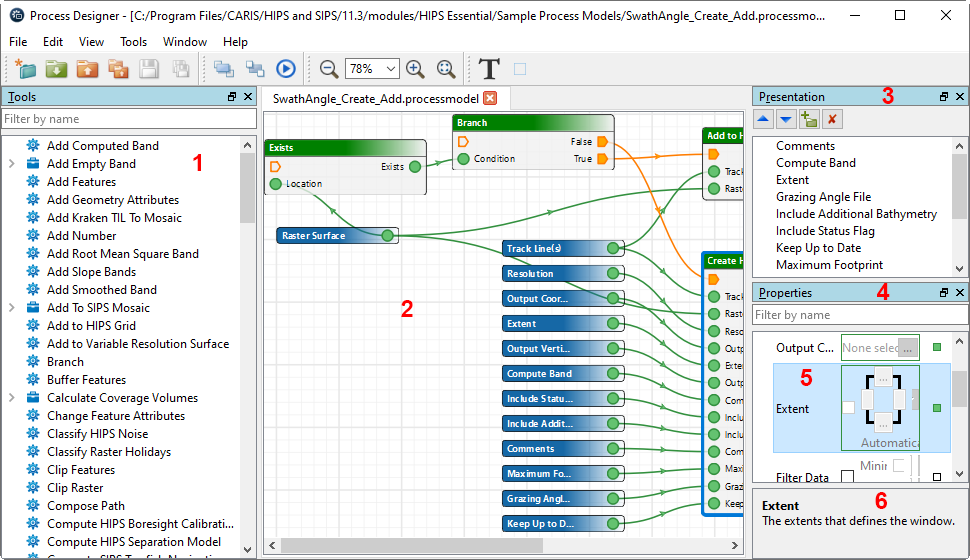
In Process Designer, process tools are listed in the Tools list (1). These tools can be added to the display window (model view) (2). The inputs can be ordered in the Presentation window (3), and the tools can be ordered, connected and have properties and options set in the Properties window (4).
When a properties field is selected (5), a description of the function of that field is displayed in the description panel (6) at the bottom of the Properties window.
When there is more than one model file open at the same time, the name of each saved model will be displayed on its tab.
See also Process Designer Menu and tool buttons.