2. Select the View as Points check box.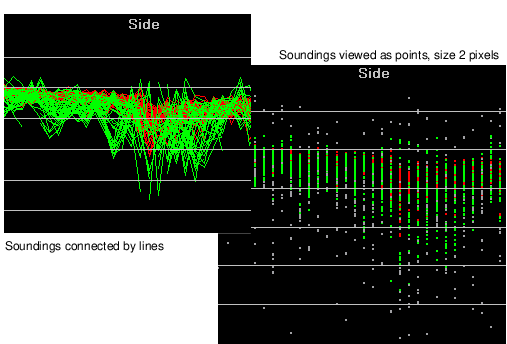
By default, soundings in the Side, Rear, and Profile views are connected by lines. Sometimes they can be more clearly distinguished if displayed as points.
To change lines to points:
1. Select the General page of the Swath Editor tab in the Control window.
2. Select the View as Points check box.
3. Click the up or down buttons beside the Point Size box to set a size value between one and five pixels.
Changing the Point Size will also change the size of the points in the Plan view.