Once the application is opened, a Welcome screen is displayed. This dialog box provides a number of commands to help get started more quickly. Different commands may be provided depending on the modules that were enabled. 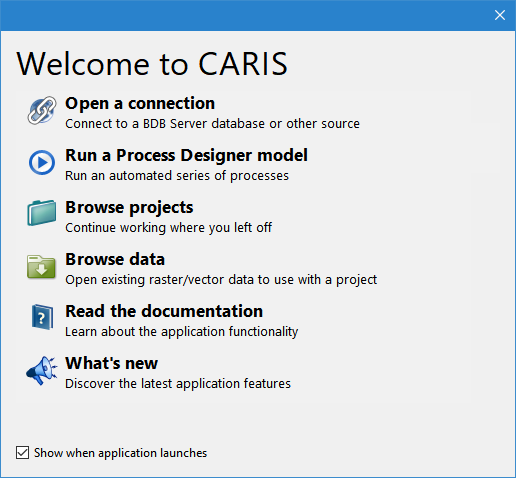
The CARIS1 application is used for visualizing raster, cloud and vector data.
The applications can display many types of data, such as:
• Industry standard raster and vector data formats
• Electronic chart data
• Vector Product Format (VPF) data, such as Digital Nautical Charts (DNCs®), Tactical Ocean Data (TOD0) and Vector Smart Maps (VMAPs)
Additional functionality for creating and editing data is available through licensed modules. See the Modules topic for more information on modules and the Teledyne CARISTM Web site for information about Teledyne CARIS products.
First-Time Run
When the application is installed with a licensed module, the first time each user starts the application, they will be required to define settings for which licensed modules should be included in the interface. Any necessary environment variables for the selected modules must also be set at this time.
The settings chosen are saved for each user and do not have to be selected again when the application is started. They can later be customized through the application using Tools > Modules and Tools > Options if needed.
Welcome
Once the application is opened, a Welcome screen is displayed. This dialog box provides a number of commands to help get started more quickly. Different commands may be provided depending on the modules that were enabled.
Once data has been opened in the application and saved to a project, the Welcome screen will also provide a list of recently used projects.
If you do not want the Welcome screen displayed each time the application is launched, deselect the check box for the Show when application launches option.
Either select a command or click the X button in the top-right corner to close the Welcome screen and continue to the application.
1 This term is a trademark of Teledyne Digital Imaging, Inc. Reg. USPTO and CIPO.