Menu | Tools > Engineering Analysis > Model > Smooth Superselection |
The Smooth Superselection tool is used to reduce the complexity of a polygon, reducing the number of points used for the polygon while still approximating its original shape.
Interface
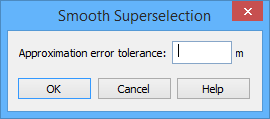
The Smooth Superselection command uses the following dialog box.
Option | Description |
|---|---|
Approximation error tolerance | The tolerance value to use for removing points. The larger the error tolerance value used the greater number of points that are removed and, in comparison to the original polygon, the less accurate the smoothed polygon will be. |
Procedure
1. Select the surface to smooth in either the Display window or the Model window.
2. Select the Smooth Superselection command.
The Smooth Superselection dialog box is displayed.
3. Type an Approximation error tolerance value.
4. Click OK.
Points are removed according to the tolerance specified. A message will be displayed in the Output window stating the number of points that were removed.