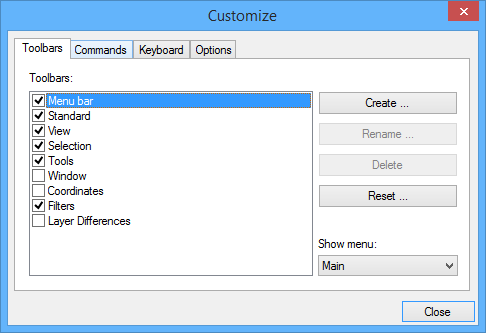
The Toolbars tab of the Customize dialog box lets you control the appearance of toolbars, modify existing toolbars, and add new toolbars.
Option | Description |
|---|---|
Toolbars | A list of available toolbars. A check mark indicates that the toolbar is visible. |
Show menu | The menu you want the toolbar displayed in. Select from: • Main: The regular menu. • Startup: The menu displayed when the application is started, before any files are opened. |
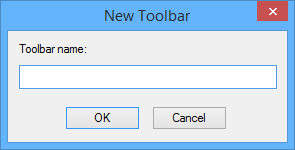
Create | Create a new toolbar. The New Toolbar dialog box is displayed.
1. Type a name for the new toolbar. 2. Click OK. The toolbar name is added to the list, and an empty toolbar is displayed in the application window. Add commands to the toolbar using the Commands tab. |
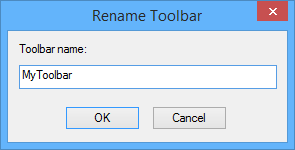
Rename | Change the name of a custom toolbar. The Rename Toolbar dialog box is displayed.
|
Reset | Reset all toolbars to their default settings. |
Procedure
To show and hide toolbars:
1. Click the check box in the Toolbars list to toggle the toolbar on and off.
If the toolbar has a check mark, it is visible. If it does not have a check mark, it is hidden.
To create a toolbar:
1. Click Create.
The New Toolbar dialog box is displayed.
2. Type a name for the toolbar.
3. Click OK.
To rename a toolbar:
1. Select a toolbar in the list.
2. Click Rename.
3. Type a new name for the toolbar.
4. Click OK.
The toolbar name is changed.
Default system toolbars cannot be renamed. |
To delete a toolbar:
1. Select a toolbar in the list.
2. Click Delete.
You are asked to confirm that you want to delete the toolbar.
3. Click Yes.
The toolbar is deleted.
Default system toolbars cannot be deleted. |
To reset changes made to default toolbars:
1. Select a toolbar.
2. Click Reset.
Any changes you had made to the toolbar are removed and the toolbar is restored to its original condition.
To select which menu system to show:
1. Select one of the following from the Show Menu list.
• Main: The regular menu.
• Startup: The menu displayed when the application is started before any files are opened.