Onboard360 : Onboard Viewer : Interface : Toolbars
 

Toolbars

Standard

Tool

Command

Open Project        

Open File

Open Connection

Close Project

Overview                                                                 

Refresh

Zoom In

Zoom Out

Zoom Mode:

Zoom Area

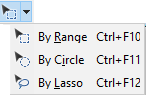
Select Mode:

Select by Range                                

Select by Circle

Select by Lasso

Pan Mode

3D View

Controller Type: Navigate the 3D View

Tools

Tool

Command

Measure Distance and Angle                                       

Open Coverages from Database

Open Coverages from Database

Launch Onboard Control Centre

Additional Tools

Tool

Command

Select All

Select All in Display

Clear Selection

Zoom/Pan Next / Zoom/Pan Previous

Zoom/Pan Next / Zoom/Pan Previous

Swipe                                                                 

Flicker

Sets the flicker interval (rate of flicker change). See Flicker

Interactive

Tool

Command

Centre on Coordinate                    

Position Cursor

Use Coordinate

Coordinate entry for Position Cursor and Use Coordinates commands

Filters

Tool

Command

Add New Layer By Attribute Value                                 

Add New Layer by Feature Acronym

Add New Layer by Feature Object ID

Add New Layer by Feature Type

Add New Layer by Unique Feature Acronyms

Rule Wizard

Add New Layer by Rule File

Select by Attribute Value

Select by Feature Acronym

Select by Feature Object ID

Select by Feature Type

Rule Wizard

Select by Rule File