Tool |
|
CARIS Batch |
Viewing WCI data in Swath Editor or Subset Editor enables you to determine critical data that can then be selected and added to the project as bathymetry. As well, you can then use the editing tools to Reject, Accept and Designate the new additional bathymetry data
To select data in the Across or Along track windows:
1. Click the Select button on the Water Column toolbar.
Tool |
|
CARIS Batch |
2. Use Select by Range or Select By Lasso to select data.
3. Right-click on the selected data and select Query from the pop-up menu to view in the Selection window.
To add selected data to the project as additional bathymetry:
4. Right-click on the selected data and select Add to Additional Bathymetry.
Pop-up | Add selection to Additional Bathymetry |
The data will now appear as “additionalBathymetry” layers in the Layers window.
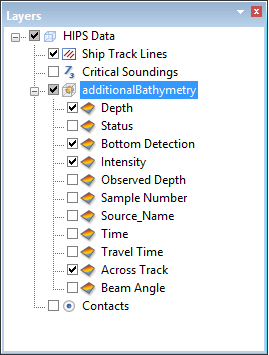
As well, the Output window will report the number of WCI samples exported to the bathymetry layer.
