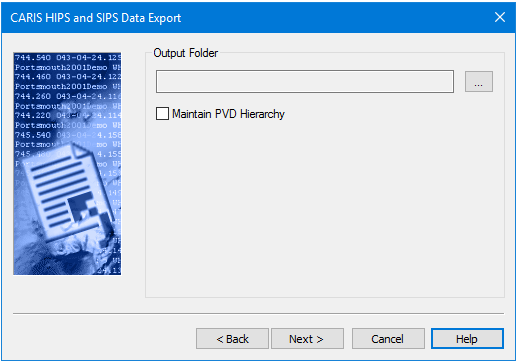
Export processed HIPS data, with optional heave/pitch/roll/quality/amplitude attributes, to the FAU format. The process will create multiple files with the extension *.fauTC designating the data as “tide corrected”. The names of the output files will match the HIPS line names.
After you have selected the track lines to export, the next step is to designate an output folder.
Procedure
1. Click the Browse button (…) to select an Output Folder for the exported GSF files. The stored file will have the same name as the track line.
2. Select the other settings as desired:
• Maintain PVD Hierarchy: Exports the HIPS data with separate sub-folders for each track line, organized as /'HIPS File Name'/'Vessel Name'/'Julian Date'/'Track Line Name'/.
• Ignore Disabled Beams: Excludes from your export file any soundings that have been rejected because of disabled beams.
• Include Time-Series Backscatter: Exports the uncorrected snippets of the time-series backscatter data. The process can only export the backscatter data if it was originally imported into the HIPS file from one of the following supported formats:
• Hypack HSX files with accompanying 7K file containing 7028 or 7058 datagrams (dual-head or single-head)
• Kongsberg ALL files with seabed imagery datagrams (dual-head or single-head)
• Kongsberg KMALL files (dual-head or single-head)
• Teledyne PDS files.
If a track line contains backscatter data from an unsupported format, the process writes a warning for each such line in the Output window.
3. Click Next to set the coordinate system.