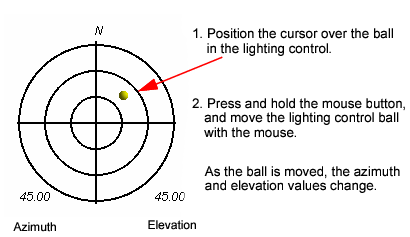
The lighting control handles shading effects by controlling the position and angle of the light.
The elevation value (on the bottom right of the compass) varies from 90º to 0º starting from the middle of sundial. The azimuth value (on the bottom left of the compass) varies from 0º to 360º in a clockwise direction. The lighting control can be displayed or hidden by selecting (or clearing) the Show Light Control check box in the 3D View tab.
You can also change the shading effect using a dialog box.
1. Double-click the ball in the lighting control.
The Set Sun Position dialog box is displayed.
2. Type new values in the Sun Elevation and Sun Azimuth fields and click OK.