Vertical exaggeration is controlled by the scale slider in the 3D View. The slider can be displayed or hidden by selecting (or clearing) the Show Vertical Exaggeration check box in the 3D Controls tab.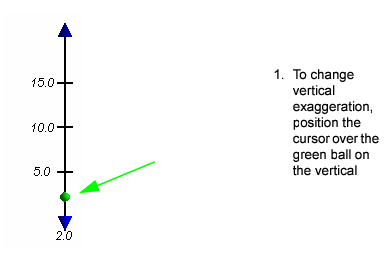
By changing the vertical exaggeration, you can display seabed features more clearly.
Vertical exaggeration is controlled by the scale slider in the 3D View. The slider can be displayed or hidden by selecting (or clearing) the Show Vertical Exaggeration check box in the 3D Controls tab.
You can also change the vertical exaggeration using a dialog box.
3. Double-click the ball in the vertical exaggeration slider.
The Vertical Exaggeration dialog box is displayed.
4. Type a value in the Vertical Exaggeration field and click OK.
The display is refreshed to show the image according to the selected exaggeration scale. The scale value is displayed below the slider.