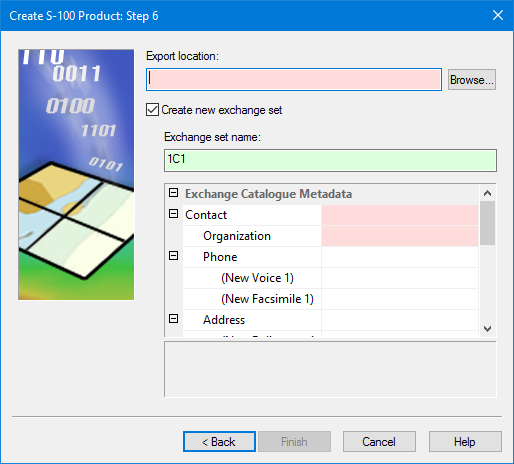
This is step 5 if you are creating a standalone product. |
Select the location of the product and create exchange sets.
Interface
Option | Description |
|---|---|
Export location | The location of the product. 1. Click Browse and navigate to the folder you want to contain the product. |
Create new exchange set | Create an exchange set to accompany the product. Off: No exchange set is created. On: An exchange set will be created when the product is saved. The exchange set options become available: • Exchange set name: A name for the exchange set. The default is taken from properties set in step 3. You can change this by typing in the box. • Exchange Catalogue Metadata: Metadata properties that apply to the exchange set. Mandatory properties are shaded in red. A description of the selected property is displayed in the box at the bottom of the list. |
Procedure
1. Select an Export location.
2. If necessary, enable Create new exchange set and define exchange set metadata.
3. Click Finish.
The S-100 product is created.