Properties
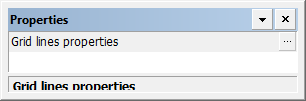
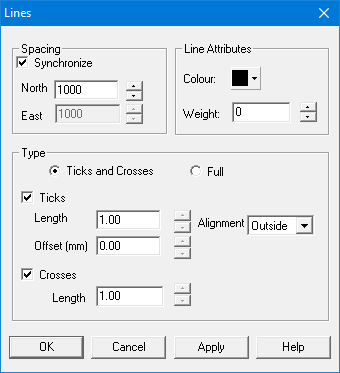
Select Grid lines properties to display the Lines dialog box:
Property | Description |
|---|---|
Spacing | Grid line spacing. Grids are calculated by adding the spacing values to the 0,0 position until the grid falls within the area defined by the corners. • Synchronize: Set North and East to the same spacing value. • North: Set the latitude (North) spacing interval. • East: Set the longitude (East) spacing interval. |
Line Attributes | The colour and thickness of the grid line. • Colour: Colour for the grid lines. Click on the colour block and select a colour from the list. • Weight: Line weight for the grid lines. Units are millimetres at map scale. Click the up and down arrows or type a value. |
Type | Select the type of grid. • Ticks and Crosses: The grid is formed of ticks and/or crosses. When this is selected, the Ticks option and the Crosses option become available. • Full: The grid is formed of solid lines. |
Ticks | • Length: The length of the ticks. Type a value. • Offset: Space between the ticks and the boundary lines. Type a value. • Alignment: Placement of the ticks with regard to the boundary lines. Choose from |
Crosses | • Length: The length of each arm of the cross. Type a value. |