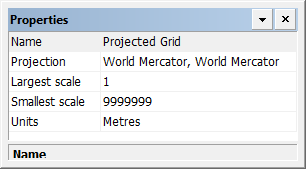
Properties
Property | Description |
|---|---|
Name | The name of the projected grid. Type a value. |
Projection | Set the projection for the grid. 1. Click browse (...) The Coordinate System Selector dialog box is displayed.
2. Select a group from the list. 3. Select a definition from the list. 4. Click OK. |
Largest scale | The largest scale at which the grid will be displayed. Type a value. |
Smallest scale | The smallest scale at which the grid will be displayed. Type a value. |
Units | Units displayed on the grid. Select from the list. |
