If the template layer is marked with this icon ( |
Properties that apply to a border style as a whole.
If the template layer is marked with this icon ( |
Properties
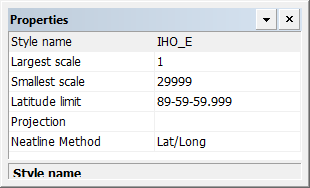
Property | Description |
|---|---|
Style name | A name for the border. |
Largest scale | The largest chart scale to which the border can be applied. A border will only be available to charts with a similar scale. Type a value. |
Smallest scale | The smallest chart scale to which the border can be applied. A border will only be available to charts with a similar scale. Type a value. |
Latitude limit | The highest or lowest valid latitude that can be displayed in the border. Type a limit value. |
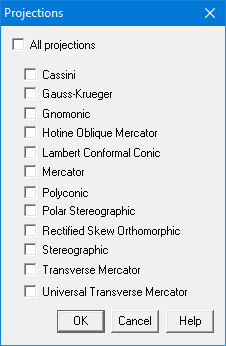
Projection | The projection or projections to use with this border. The border can be used only with charts that contain the selected projections. 1. Click browse (...). The Projections dialog box is displayed To use this border in any chart, enable All Projections. To used this border only in charts with specific projects, disable All Projections and enable one or more individual projections. 2. Click OK. You are returned to the Properties window. |
Neatline Method | Choose from |
 ), the template is incompatible with the product. When you click on the template, a message describing the incompatibility is displayed in the Output window. You will have to modify the properties to make the border compatible.