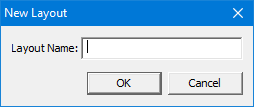
Menu | Window > Layout > New Layout |
The layout and display of windows and toolbars can be saved. If necessary, the original layout can be restored.
The Layout commands apply to the location of interface components and not to the display of data.
Related commands:
• • | • • |
Interface
Option | Description |
|---|---|
Layout Name | A name for the new layout. Type in the box. |
Procedure
1. Set windows and toolbars to the state that you want.
2. Select the New Layout command.
The New Layout dialog box is displayed.
3. Type a name for the layout and click OK.
The layout is saved.