
Masking styles define how masking is applied.
These tables show masking styles for both raster and vector masking.
Raster Dynamic Masking | ||||
|---|---|---|---|---|
Feature Types | Masking Styles | |||
Outline | Fill | Box | None | |
Text | Y | Y | Y | Y |
Sounding | Y | Y | Y | Y |
Symbol | Y | N1 | N | Y |
Line | Y | N | N | Y |
Area | N | Y | N | Y |
1 A fill effect will be seen if the symbol includes components defined with fill and transparent colour.
Vector Dynamic Masking | |||||
|---|---|---|---|---|---|
Feature Types | Masking Styles | ||||
Outline | Fill | Box | convex_hull | convex_hull_string | |
Text | Y | Y | Y | Y | Y |
Sounding | Y | Y1 | Y | Y1 | Y1 |
Symbol | Y | N | N | Y | N |
Line | Y | N | N | N | N |
Area | N | Y | N | N | N |
1 SGSL soundings cannot be used with Fill, convex_hull and convex_hull_string masking styles
Outline
The mask extent is a buffer around the edge of the object.
The mask covers the contours of each character. Areas inside a character (see “a” and “p”) are not subject to masking. The extent of the outline is set by the Width value in the masking rules file.
Fill
The mask extent fills the entire object.
The result of applying this to Vector and Raster are different.
Raster Dynamic Masking Fill Example

Vector Dynamic Masking Fill Example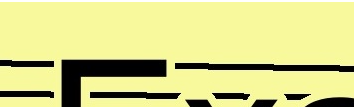
The fill style covers the entire character. Spaces between the characters are not masked. The extent of fill mask is set by the Width value in the masking rules file.
Box
The mask extent is a box around an object.
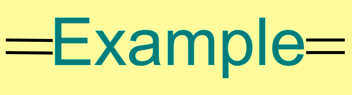
The mask buffer covers the entire text.
Convex Hull
convex_hull is applied to vector masking only and is similar to the Fill masking style

This masking style is applied to each character or to symbols and masking extent is based on the shape of the object (see the lines between "p", "l", and "e") while the Fill style is uniform.
Convex Hull String
The convex_hull_string masking style is the same as convex_hull but applied to an entire text.
