Export processed HIPS data, with optional heave/pitch/roll/quality/amplitude attributes, to the FAU format. The process will create multiple files with the extension *.fauTC designating the data as “tide corrected”. The names of the output files will match the HIPS line names.
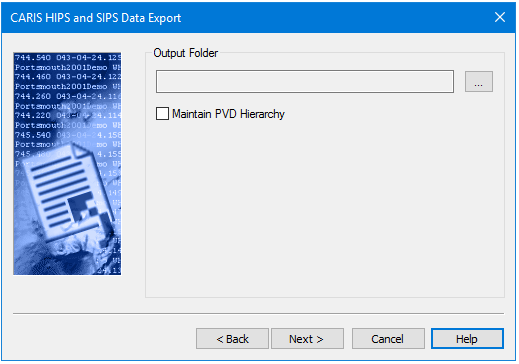
After you have selected the track lines to export, the next step is to designate an output folder.
Procedure
1. Click the Browse button (...) to set the path and name for the output file.
2. Select Maintain PVD Hierarchy to create output directories that correspond to the HIPS data being exported.
3. Click Next to set the coordinate system.