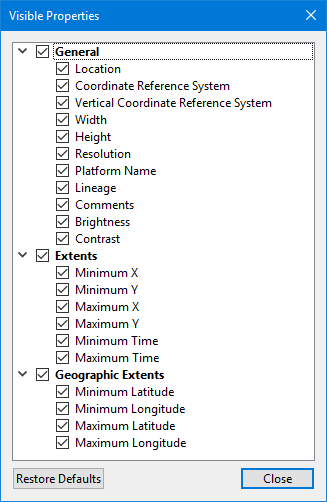
The gear button in the top-right corner of the Properties window can be used to launch the Visible Properties dialog box.
This dialog box is used to select the properties that are displayed by default for a particular data format. Different default properties can be selected for each data format.
Properties are turned on/off by clicking the check box beside the property name. Properties are displayed when the check box is populated.
The Restore Defaults button can be used to restore the selected properties as defined by default at the time that the application was installed.