 CARIS HPD Source Editor
 CARIS HPD Source Editor
Menu | Usages > Report Features Not Assigned > Superselection Usages > Report Features Not Assigned > Selection |
List the features on the active usage that are not assigned as representations on another usage.
Related commands:
• • • • | • • • • |
Interface
Procedure
1. Select the features that you want to check.
2. Select the Report Features Not Assigned command.
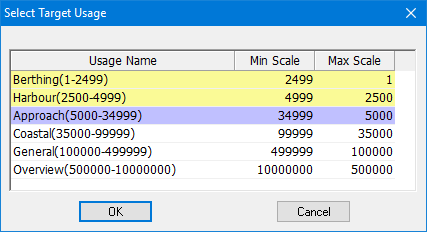
The Select Target Usage dialog box is displayed.
The current usage is highlighted in purple.
3. Select the usage that you want to check and click OK.
The features in the active usage that are not represented on the selected usage are listed in the Output Window.
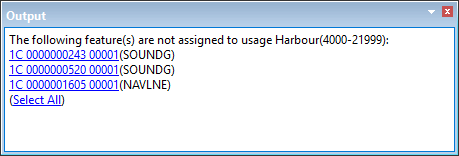
The feature object ID links in the output window will select the individual feature. The Select All link will select all non-represented features.