 CARIS HPD Publications Module
 CARIS HPD Publications Module
Menu | Publication> Generate IDs |
Tool | |
Apply user-defined identifiers to publication notices or list records. Identifiers are applied to object properties (defined by the catalogue).
Related commands:
• • • • • • • | • • • • • • • |
Interface
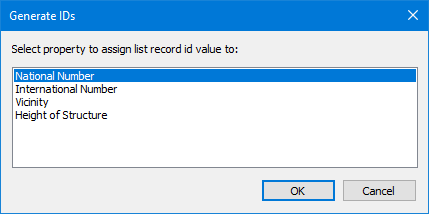
Property | Description |
|---|---|
Property | A list properties that is generated from the catalogue for the publication type. An ID is assigned to an object property. |
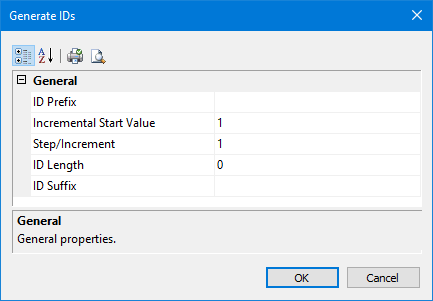
Property | Description |
|---|---|
ID Prefix | Alphanumeric prefix for the number. |
Incremental Start Value | The start value of the numeric sequence. Values are incremented until the end of the notice or list. |
Step/Increment | Increment applied to values. |
ID Length | The length of the unique ID section. Leading zeros are inserted to pad the value if no number is available. |
ID Suffix | Alphanumeric suffix for the sequence number. |
Procedure
1. Select a notice or list publication in the Object Browser.
2. Select the Generate IDs command.
The first Generate IDs dialog box is displayed
This dialog box assigns an ID to an object property. The list is generated from the catalogue for the publication type (notice, list, and so on).
3. Select a property and click OK.
The second Generate IDs dialog box is displayed
4. Set any necessary properties and click OK.
IDs are generated and assigned to the property that was selected in the first dialog box.
