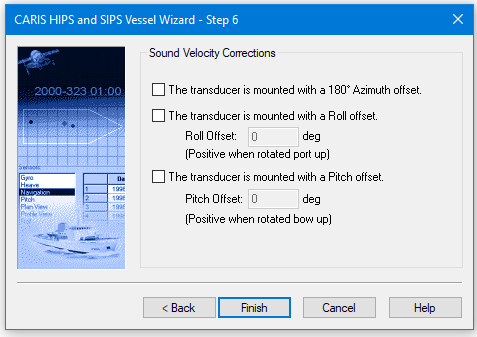
The Sound Velocity Corrections dialog box is displayed only if you selected the Define parameters for sound velocity corrections check box in the Configuration Options dialog box.
In this dialog box you enter any transducer pole offsets.
Transducer head offsets must be taken into account when the SVP is applied to the data.
1. Select the 180-degree Azimuth box if the transducer is reverse mounted.
2. If the transducer is mounted with a large roll offset for use under wharves or along banks, then select the Roll Offset check box
3. Type the amount of offset (in degrees) in the Roll Offset box.
4. If the transducer is mounted with a large pitch offset such that it is pointed forward or backwards, then select the Pitch Offset check box.
5. Type the amount of offset (in degrees) in the Pitch Offset box.
6. Repeat the above steps for the second transducer if there are two poles.
7. Click Finish.
A new HIPS Vessel File is created. You can now create an outline for the vessel (see Create Vessel Shape Outline).