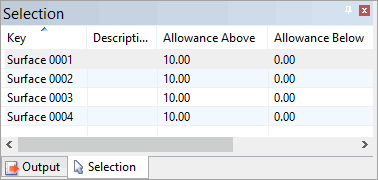
Menu | Tools > Engineering Analysis > Model > Set Allowances Aove Surfaces |
Menu | Tools > Engineering Analysis > Model > Set Allowances Below Surfaces |
Set the Allowance Above or Allowance Below values for all selected surfaces.
• Allowance above surface can be used as a safety allowance above the maintained model.
• Allowance below surface is the allowance below the maintained model that is still of interest in volume calculations.
Interface
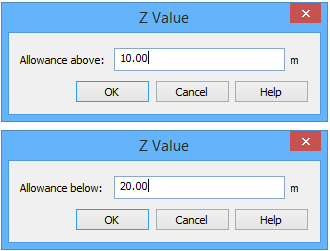
The Set Allowances commands uses the following dialog box.
Option | Description |
|---|---|
Allowance above/below | The elevation value (depth, height) to assign to the selected surfaces as the allowance above or allowance below value, depending on the command in use. |
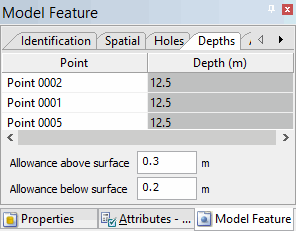
The Depths tab of the Model Feature window also provides fields to specify allowances for the currently selected surface. When using this method, the value must be specified manually for each surface.
Procedure
1. Select the Surfaces layer in the Layers window.
2. Select one or more surfaces in the Display window.
3. Select the Set Allowances Above/Below Surfaces command.
The Z Value dialog box is displayed.
4. Type an Allowance value.
5. Click OK.
The allowance value is applied to all selected surfaces.