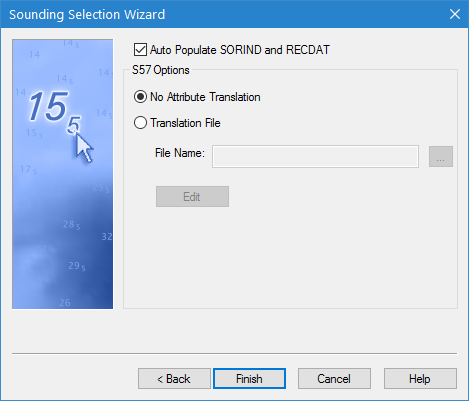
The fourth step of the Sounding Selection Wizard allows you to map the coverage attributes to S-57 attributes using a translation file. The translation file has a BSST file extension and is in XML format.
Interface
Step 4 of the Sounding Selection Wizard is shown below.
Option | Description |
|---|---|
Auto Populate SORIND and RECDAT | Enable this option to automatically populate the source and date attribute values for the new soundings. |
No Attribute Translation/Translation File | Choose whether or not to apply attribute mapping using a translation file. If attributes are to be mapped, select the Translation file option to enable the translation file fields. |
File Name | The attribute translation file to be applied during sounding selection. Click the browse button (...) to either navigate to an existing translation file or specify a name and location for a new file. If you choose to create a new file, you must use the Edit translation File tool to define the settings for the file. |
Edit | Click to launch the Edit Translation File tool, which can be used to edit the selected translation file or create a new translation file. See Edit Translation File for more information. |
Procedure
1. [Optional] Click the check box to enable the Auto Populate SORIND and RECDAT option.
2. Select a Translation option.
3. If the Translation file option is selected, select and/or create a translation file.
4. Click Finish.
The soundings that pass suppression are selected and corresponding sounding features are created on the selected feature layer. The sounding layer can be written to a HOB file using the (File) Save command, if desired.