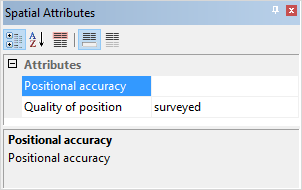
The Spatial Attributes window is used to define values for the spatial attributes of the spatial component selected in the Components window. Spatial attributes include:
• Positional accuracy (POSACC)
• Quality of position (QUAPOS)
Procedure
1. Select a feature object in the Display window.
2. In the Spatial Attributes window, select the attribute to be defined.
3. Depending on the attribute selected, either enter a value in the field and press <Enter>, or select a value from the drop‑down list.