Condition | Procedure |
|---|---|
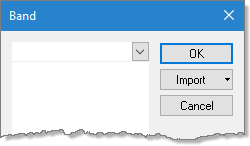
Where the band value is least/greatest. | 1. Select the band value link. The Band dialog box is displayed. 2. Select a band name from the list. 3. Click OK. 4. Click the greatest/least link to change the operator, if needed. |
Where the band value is equal to value. Where the band is not equal to value. | 1. Select the band value link. The Band dialog box is displayed. 2. Select a band name from the list. 3. Click OK. 4. Click the equal to link to change the operator. 5. Select the value link. A text entry Value dialog box is displayed. 6. Enter a value in the text entry field. 7. Click OK. |
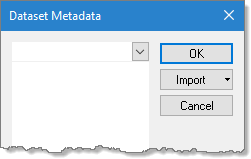
Where the dataset metadata value is least/greatest. | 1. Select the metadata value link. The Dataset Metadata dialog box is displayed. 2. Select a metadata value from the list. 3. Click OK. 4. Click the greatest/least link to change the operator, if needed. |
Where the dataset metadata value is equal to value. Where the dataset metadata value is not equal to value. Where the dataset metadata value is less than value. Where the dataset metadata value is greater than value. | 1. Select the metadata value link. The Dataset Metadata dialog box is displayed. 2. Select a metadata value from the list. 3. Click OK. 4. Click the equal to link to change the operator. 5. Select the value link. The Attribute Value dialog box is displayed. 6. Select a value from the list (values shown in the 7. Click OK. |
Where the primary Z value is least/greatest. | 1. Select the least link to change the operator. |