Navigation sources can be set using this dialog box: 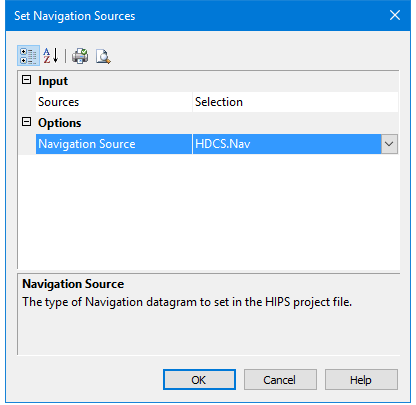
Menu | Tools > HIPS and SIPS > Navigation > Set Source |
When the Navigation editor is open, the Set Source command will only apply to the line opened in Navigation Editor.
If Set Sources is used when there are no editors open, you can set the navigation source for all the open lines or for a selection of lines.
Interface
Navigation sources can be set using this dialog box:
Procedure
1. To set the source for all open lines, select Ship Track Lines from the Input Sources list.
2. To set for sources for some lines, select Selection from the list.
3. Choose the navigation source to be set for the line(s), from the list in the Navigation Source field.
4. Click OK to change the navigation source setting in Navigation Editor.