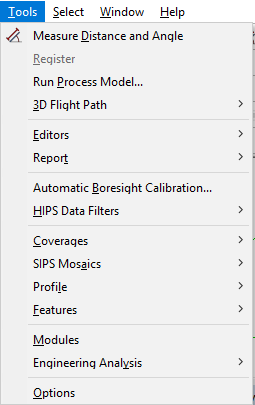
CARIS HIPS and SIPS : HIPS and SIPS : HIPS and SIPS Interface : HIPS and SIPS Menus : Tools menu
 

Tools menu

The Tools menu contains commands to create and edit surfaces and mosaics, to run interpolation or shifting of navigation data, to set and apply filters, measure distances and create beam pattern correction files.

As well, Single Beam, Subset, Swath, Side Scan and Mosaic Editors can be opened from the Tools menu.

HIPS and SIPS Options are also be set from the Tools menu.

See:

Run Process Model

Automatic Boresight Calibration

HIPS and SIPS Data Filters

CoveragesNew Variable Resolution Surface .

CoveragesNew Regular Gridded Surface

New SIPS Mosaic

Features Contouring

Features Sounding Selection

Features Critical Sounding Detection