• For example, hover your cursor over the Feature Layer command on the File > New menu, and the status bar will display “Create a new feature layer” in the lower left corner of the status bar. 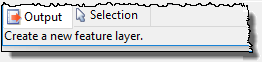
The status bar at the bottom of the HIPS and SIPS application window displays:
1. the function of the command (on a menu) under your cursor:
• For example, hover your cursor over the Feature Layer command on the File > New menu, and the status bar will display “Create a new feature layer” in the lower left corner of the status bar.
2. data status:
• the number of track lines currently selected
• the current projection (Click the projection name to view details in a pop-up window.)
• the scale of the current display in the Display window. (In 3D View this field shows the “height” of the flight above the surface.)
• the coordinates of the current cursor position (in the units set in Tools > Options> Units).