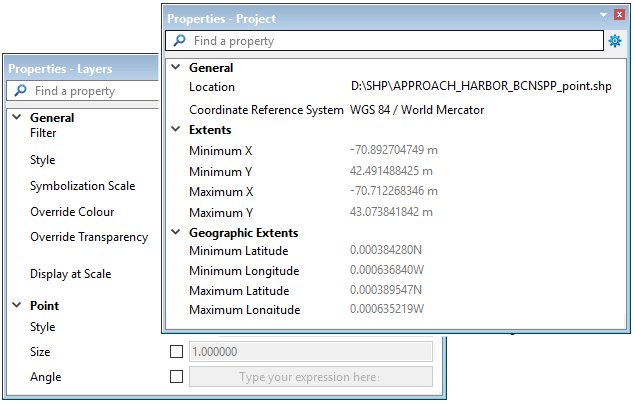
The Properties window displays settings for data selected in the Layers or Project windows. The range of properties displayed varies based on:
• the type of data,
• which window the data is selected from, and
• whether a single layer or a group of layers is selected.
The Properties window displays the properties of the most recent setting in either the Layers window or the Project window. The title bar of the Properties window will display either “Layers” or “Project” to indicate where the data is selected.
The example below shows properties for the same source selected in both windows.
Display properties such as colour, symbolization scale, line thickness etc. are set by selecting a layer or a group in the Layers window. When properties are set for a group, only the properties that are common to all the grouped layers will be applied.
Properties such as Coordinate Reference System and geographic extents are displayed for data sources selected in the Project window. Most of these properties are read-only and are provided for information purposes only.
To retain the property settings, the data sources must be saved as a project.
To change or add display properties from the Layers window:
1. Select a single layer to change its properties, or
2. Select a group layer to change properties that are common to all layers in the selected group.
Many properties are activated simply by selecting a check box. Some property fields may only be activated by first selecting a check box.
To view properties of data sources from the Project window:
1. Select a item in the Project window.
If you select more than one item in the Project window, the Properties window will display the properties these items have in common.