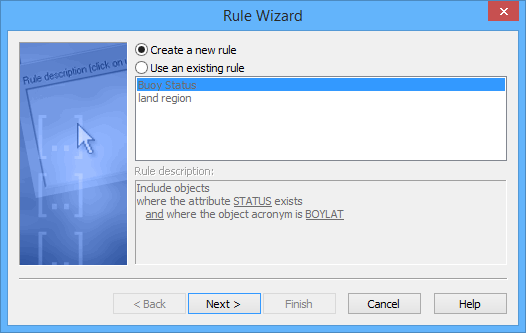
This dialog box is displayed only if you click Add in the main Rule Wizard dialog box. If you click Modify, the Type of Rule dialog box is the first step of the wizard. |
Here you choose to create a new rule or to add an existing rule to the list in the main Rule Wizard dialog box. If necessary, you can modify the existing rule.
Procedure: New rule
To create a new rule:
1. Enable Create a new rule.
2. Click Next.
The Type of Rule dialog box is displayed.
Procedure: Existing rule
To add an existing rule to the rule list.
1. Enable Use an existing rule.
2. Select a rule from the list.
3. Do one of the following:
• Click Finish to return to the main Rule Wizard dialog box.
• Click Next to modify the rule.