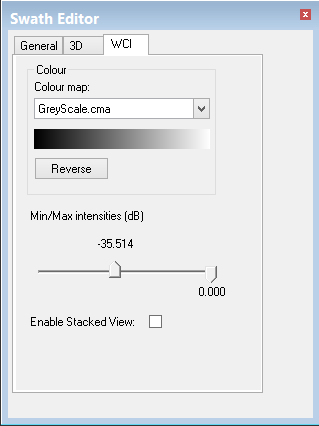
When water column data is open in Swath Editor, the Water Column Editor toolbar and WCI control tab are displayed.
Use the Colour controls to set the colour of the data displayed in the Across track and Along track windows.
1. Select a colour from the Colour map field.
2. Click Reverse to change the current colours to their inverse.
Water column data can be filtered by intensity values, so that only data within the set range is displayed. To filter the data:
3. Use the sliders to set a filter range between -64.000 dB and zero.
These intensity settings are retained so that the same filter range can be applied when the data is loaded into Subset Editor.