Menu | Edit > Edges > Mask |
Tool |
|
Pop-up | Mask (Components window) |
Menu | Edit > Edges > Mask |
Tool |
|
Pop-up | Mask (Components window) |
Prevent an edge from being drawn in the Display window. This can be useful for de-cluttering the display by hiding edges that pass behind other features, or for hiding the division between two areas.
Procedure
1. Select a feature.
2. Select the Components window.
3. Select an edge.
To select multiple edges, press and hold the <Ctrl> key as you click.
4. Select the Mask Edges command.
5. Select the Refresh command to hide the masked edge.
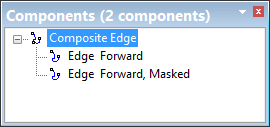
The Components window shows that the edge is masked.
Example
This example shows part of a line being masked.
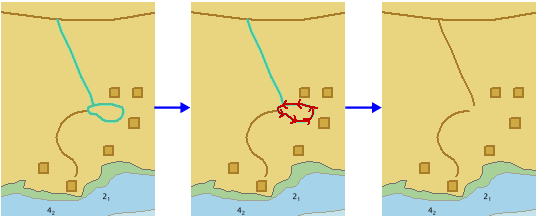
The edge is not deleted, it is just not drawn.
