Menu | Create > New Model Feature > Supersurface |
Tool |
|
Pop-up | Create New Supersurface (Model window) |
Menu | Create > New Model Feature > Supersurface |
Tool |
|
Pop-up | Create New Supersurface (Model window) |
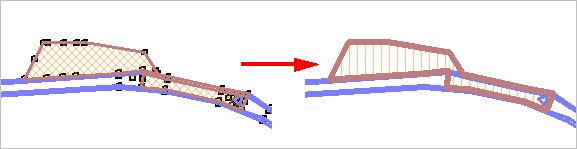
The New Supersurface command is used to create a single surface from two or more existing adjacent surfaces.
Operations performed on a supersurface are also applied to the sub-surfaces from which it was created.
Interface
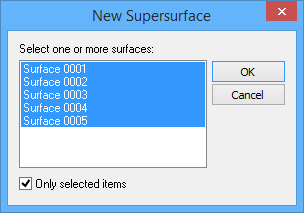
The New Supersurface command uses the following dialog box.
Option | Description |
Select one or more surfaces | The reference model surfaces from which to create the new supersurface. 1. Press and hold the <Ctrl> key, then click the relevant surfaces in the list. |
Only selected items | Enable this option to limit the list of available surfaces to only the reference model surfaces that were selected when the command was launched. |
Procedure
1. In the Layers window, select the Surfaces layer.
2. Select the (New Feature) Supersurface command.
The New Supersurface dialog box is displayed.
3. Select two or more surfaces.
4. Click OK.
The new supersurface is created.