Menu | File > Open > File |
Tool |
|
Key | <Ctrl+O> |
A reference model is a three dimensional model of a maintained area. For example, for a waterway, this could be a model of a shipping channel.
Teledyne CARIS currently supports opening two sources of reference models - CARIS reference models and LandXML reference models. If the Reference Model is in LandXML format, the following interpretation is applied when opened:
• LandXML face features are considered reference model surfaces.
• LandXML surface features are considered reference model templates.
• LandXML alignment features are considered reference model compound alignments.
• The individual LandXML line components are considered reference model straight alignments.
• The individual LandXML curve components are considered reference model curved alignments.
See Engineering Analysis for more information on reference models.
To open a reference model:
1. Select the Open command.
Menu | File > Open > File |
Tool |
|
Key | <Ctrl+O> |
2. Select the reference model file to open.
3. Click Open.
The reference model is added to the Layers window and the Display window.
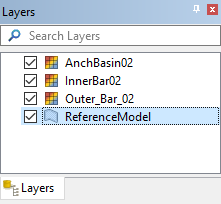
By default, the reference model layer is filtered to provide only the reference model template features. If you wish to work with additional reference model feature types, you will first need to add display layers for the required feature types. For example, if you need to work with point features, you will need to add a Points layer. The Add Layer command can be used to add additional display layers to the Layers window. See Filter for more information on adding layers.
Reference models support points that are a minimum of 0.01 metres apart in (x,y). Any points within this tolerance are considered to be duplicates and are merged together when a reference model is opened. That can result in surfaces that collapse to lines; these surfaces are skipped. Information about discarded surfaces is reported in the Output window.
