The HVF must contain the ellipsoid and datum used by the navigation system in the survey vessel, regardless of whether or not the data contains projection coordinates or geographic coordinates.
The list of available ellipsoids is maintained in the file named datum.dat referenced by the environment variable named uslXdatum. By default, this file is located in the System directory.
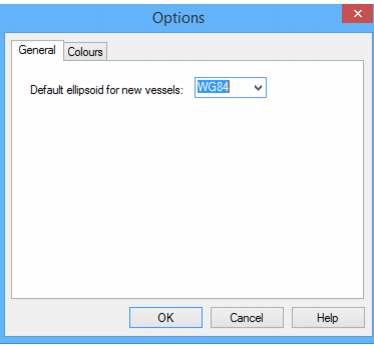
Set the ellipsoid for a new vessel file to be the same as the one used in the survey.
1. Select the Options command.
Menu | Tools > Options |
The Options dialog is displayed.
2. Select the General tab.
3. Select an ellipsoid from the list.
4. Click OK.
You are returned to Vessel Editor and the name of the ellipsoid is displayed in the Navigation section.