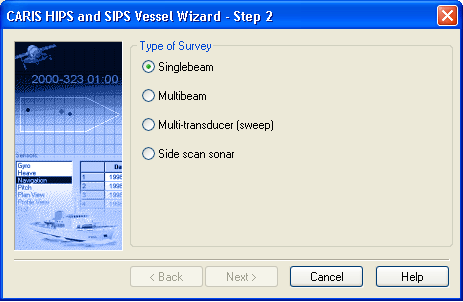
The Step 2 dialog box prompts you to enter the sonar type used in the survey.
1. Select a sonar type by clicking the appropriate check box.
The next step will depend on your choice of survey type
If you selected Side Scan Sonar, click Finish.
2. If you selected another survey type, click Next.
• If you selected Singlebeam, go to: Motion Sensors
• If you selected Multibeam, go to: Multibeam
• If you selected Multi-transducer, go to: Multi-Transducer