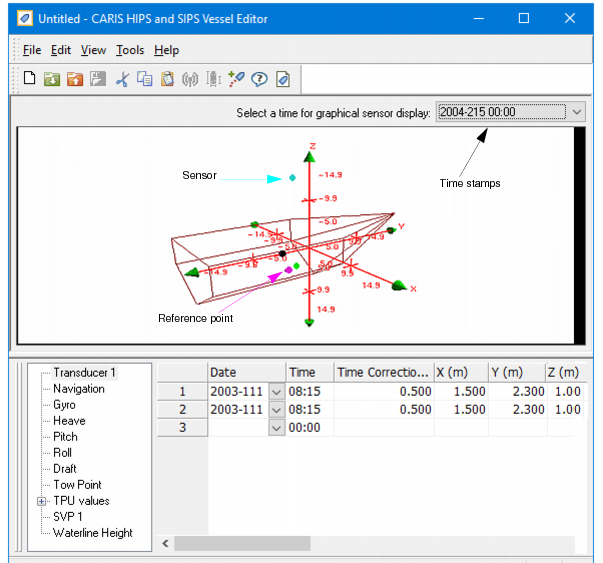
Vessel Editor is launched from the HIPS and SIPS interface. The image below displays a vessel file and a vessel outline in Vessel Editor.
Vessel Editor displays a 3D wire-frame diagram of the vessel. The display can be manipulated in three dimensions using the 3D Display controls. See 3D Display Controls. The location of a sensor is represented by a coloured dot or line. See Colour options for sensor display to change the colours of the sensor display.
In the upper right-hand corner of the 3D display is a drop-down list containing all the unique time stamps in the vessel file. You can select a time stamp and view the outline configuration at that single point in time.
Sensor data is displayed in a table below the 3D vessel outline. This data can be edited.