To change display settings or apply filtering to one data type in a multiple display, the data type selected in the Layers window becomes the active data type.
With potentially many data types graphed in one sensor window, the active data type determines:
• the vertical scale for the Overplotted setting
• the colour of the vertical axis line
• which data will be queried or edited from all the data types in the graph window
• which data type the Smooth/Filter, Difference and Threshold graph lines will show for in the sensor window.
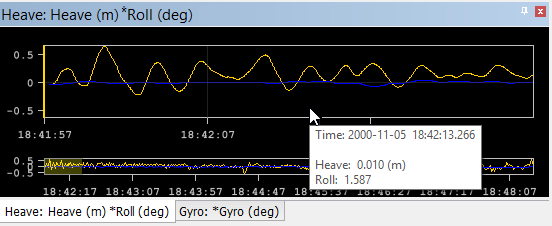
An asterisk next to the name of a data type, whether in the title bar or the window tab, identifies the active data type. In the example below, Roll is the active data in the Heave window.
See Attitude Editor controls for the controls which are applied to the active data layer.