CSAR Framework
CARIS BASE Editor uses the CSAR (CARIS Spatial Archive) framework as data structures for gridded and point data. The CSAR framework was designed to efficiently read, write and process the large volumes of data produced by modern survey sensors and methods.
The CSAR framework works by partitioning data into pieces, called "chunks". The division of data into chunks allows the efficient storage and visualization of high volumes of multi-dimensional data.
Data opened through the CSAR framework is processed differently than other formats, in that their data structures are stored at multiple levels of resolution to facilitate rapid access. With the multi-resolution structure, the data in a dataset is always available, although it is not always displayed. For example, if viewing a gridded surface that is zoomed out, the surface is a coarse resolution representation of the surface, appearing smooth and lacking in detail. This coarse display will always include the shoalest depths. As you zoom in, the appearance of the surface will change as higher resolution data is brought into view. At any point, if you were to make a selection of points on the surface, you would get the same results whether zoomed in or out.
While the above multi-resolution structure provides the default visualization, it is possible to adjust the display with the Level of Detail property in the Properties window for a selected band. A setting of Low can be used to draw less data, and High to draw more data, at intermediate zoom levels.
CSAR data structures are created with a coverage polygon representing the boundaries of the data. This polygon is accessible through the Bounding Polygon band created when a CSAR surface is opened. The polygon includes the outer boundary of all data. The polygon can be edited, redigitized or removed. See Digitize Bounding Polygon for more information.
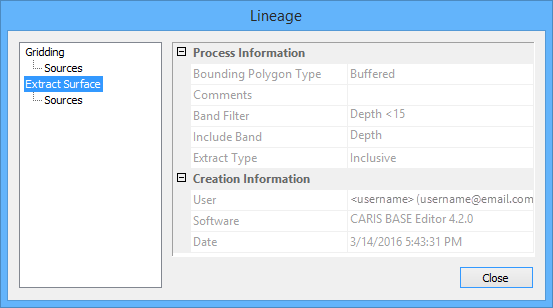
The lineage of a CSAR file is provided in the Properties window via the Lineage property. This property launches the Lineage dialog box, which provides the operation that created the coverage, any source files that contributed to the data, any filters that may have been applied during extraction, as well as any other creation properties that exist for the coverage.