Create a hierarchical relationship between features at the same location. One feature is designated the master, others are its slaves. For example, a buoy could be a master and attached equipment such as lights and navigational devices would be its slaves.
Related commands:
Procedure: Automatic
Menu | Create > Relationships > Automatic |
Automatically create relationships from a selection of features that are defined as masters or slaves in the catalogue, and which are in the same location.
1. Select one or more features to use in the relationship.
2. Select the Automatic Relationships command.
A message box displays the number of relationships created.
3. Click OK.
The relationships are created.
Procedure: Manual
Menu | Create > Relationships > Manual |
Manually create a relationship between any superselected and selected features.
The manual selection of features overrides the master/slave relationships set by the catalogue. Any selected feature can become a slave of any superselected master.
1. Select one or more features.
2. Superselect the feature to use as the master.
3. Select the Manual Relationships command.
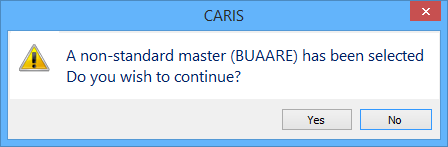
If the superselected feature is not a recognized master object in the catalogue, a warning message is displayed.
4. To continue, click Yes.
The relationship is created.