The HIPS to GSF function exports processed HIPS data to a GSF format. A new GSF file is created for each track line that is exported from HIPS.
Note that when HIPS data is created from GSF data, a copy of the original GSF file is maintained inside the HIPS directory structure. The Export to GSF function creates a new GSF file using the copy and updates these GSF files. |
Procedure
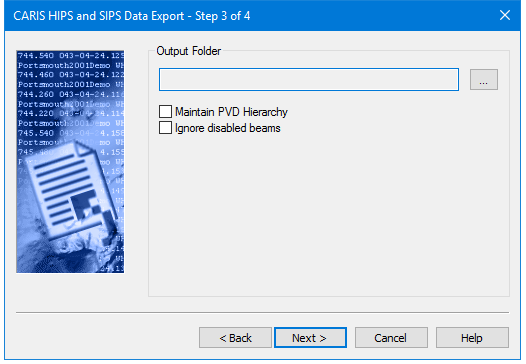
1. Click the Browse button (…) to select a location for the exported GSF files. The stored file will have the same name as the track line.
2. To export entire projects and maintain the HIPS Project/Vessel/Day/Line structure in the output, select the Maintain PVD Hierarchy check box.
3. Select the Ignore Disabled Beams option to exclude any soundings which have been rejected (because of disabled beams) from your export file.
4. Click Next.