Export HIPS tide data from selected track lines to a TID file. You can create TID files from single or multiple track lines in a project. TID files can be viewed in Tide Editor or in a text editor.
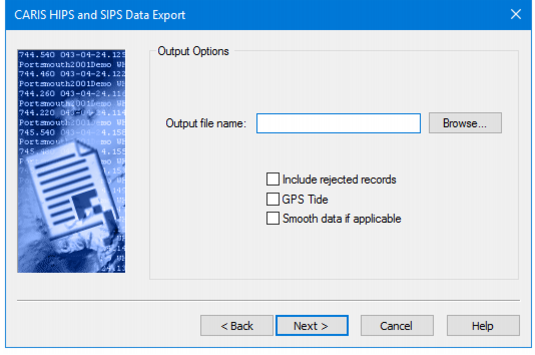
The Output Options dialog box creates the output tide file.
Procedure
1. Click Browse and use the standard Windows Open dialog box to select a path and name for the output TID file.
The path and name of the tide file is displayed in the Output File Name field.
2. Select the Include Rejected Records check box to include tide records that have been rejected.
3. Select GPS Tide to use tides calculated from a GPS ellipsoid height.
4. Select Smooth data to use tide data that has been smoothed for localized variability.
5. Click Next to finish. Export: Final Step- Export