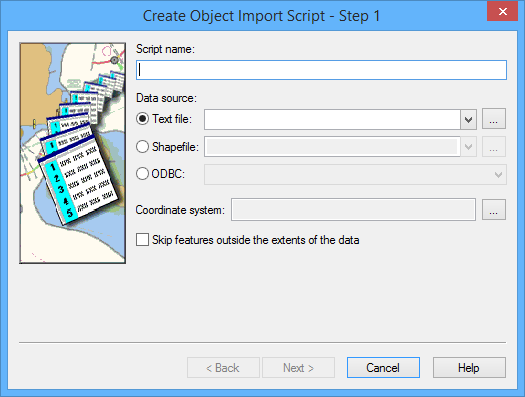
The Create Object Import Script - Step 1 dialog box is displayed.
Option | Description |
Script name | A name for the script. Type in the box. |
Data source | The source of the object data. 1. Select a source type: • Text file • Shapefile • ODBC 2. Select the source file using one of the following methods: • Select a file from the list. • Click browse (...) and locate the file. • Type the path and name of the file. |
Coordinate system | The coordinate reference system for the data. 1. Click browse (...). The Select Coordinate Reference System dialog box is displayed. 2. Select a coordinate reference system from the list. 3. Click OK. |
Skip features outside the extents of the data | On: Do not import features that fall outside the workspace extent. Off: Import all features regardless of extent. |
1. Type a Script name.
2. Select the Data source.
3. Set any other necessary options.
4. Click Next.
The next step depends on the source file type you chose.