The first 100 lines of the file will be displayed by default. Use the scroll bar to see all the lines in the preview.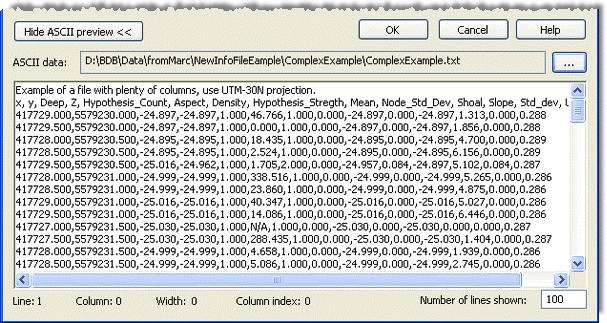
Because the format information file must match the contents of the ASCII file, it is recommended that you have the source data displayed in the preview when defining properties.
To view an ASCII source file:
1. Click Show ASCII preview to expand the ASCII preview
2. Click the Browse button (...) in the ASCII data field to navigate to the ASCII file.
The first 100 lines of the file will be displayed by default. Use the scroll bar to see all the lines in the preview.
To display a smaller set of lines from a large file:
3. Change the value in the Number of lines shown field.
Other fields at the bottom of the editor provide information about the data at the current location of the cursor within the data.
• Line: This field numerically identifies which row is selected in the file. Each line represents a point in the data. Line numbering starts at 1.
• Column: This field numerically identifies which character column of data is selected in the line. Every character in a line is considered a column and is numbered starting at 0.
• Width: This field identifies the number of characters currently selected in the preview. The width value is then used to identify the number of characters to include in an attribute value if no delimiter is used.
• Column index: This field identifies the column index number of the currently selected data. Each attribute in the source data is assigned to a column and indexed with a number starting at 0. This column contains all characters that make up the values for that attribute. This field is only available for delimited format information files.
Related Commands:
Create a Format Information File
Edit a Format Information File
Format Info Files