Menu | Tools > Editors > Side Scan > Measure Shadow |
Tool |
|
Menu | Tools > Editors > Side Scan > Measure Shadow |
Tool |
|
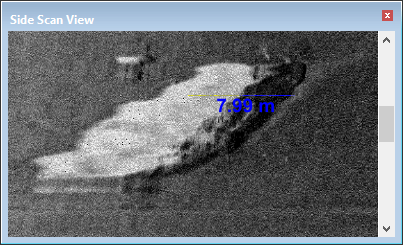
This tool enables you to determine the height of an object by measuring its shadow in the Side Scan View window (waterfall view). This feature is only available in processed mode.
Procedure
1. Zoom in to the area to be measured using the Zoom Area tool.
2. Select the Measure Shadow tool.
3. Press and hold the mouse button.
4. The cursor will change to a ruler icon. 
5. In the waterfall view, click and drag the cursor horizontally across the display, through the width of the shadow.
The height measurement is shown in the Side Scan View.