Menu | Import > Generic Data Parser |
Tool |
|
Menu | Import > Generic Data Parser |
Tool |
|
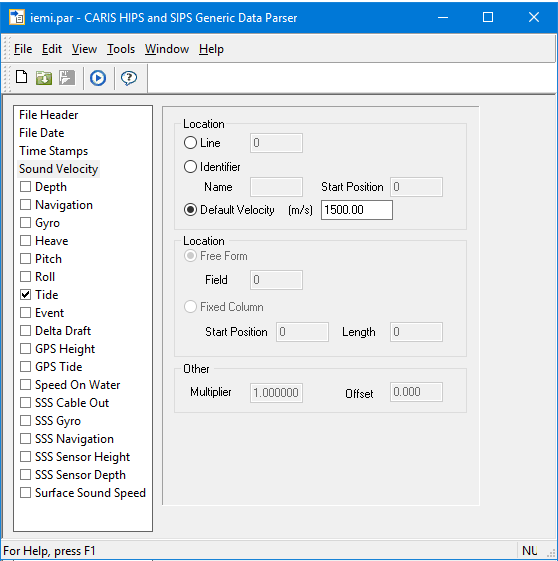
The Generic Data Parser launches in its own interface and is used to convert data such as roll, tide, heave etc., from ASCII files into HIPS format.
For example, if high-precision positions were obtained from a source other than the original raw data files converted into HIPS, this data could be loaded into an existing project to replace the original navigation data.
Data files to be parsed must be in ASCII format and contain a time stamp for every line. |
Related commands:
Generic Data Parser Wizard: Step 1
Interface
The Generic Data Parser is illustrated below.
 .
.
Procedure
To open raw data to be converted with the parser:
1. Select the Generic Data Parser command.
The Generic Data Parser is displayed.
2. Select Open Raw Data from the File menu.
3. Browse and select the *.raw or *.txt data file you want to convert.
The Raw Data window will open to display the data.
This window can be sized and repositioned to the top, bottom, right or left sides of the interface.
See also Raw Data Files
