Menu | Database > Open Coverages from Database > Superselection/Selection |
Tool |
|
Menu | Database > Open Coverages from Database > Superselection/Selection |
Tool |
|
The Open Coverages from Database command allows a user to work with a database coverage on a local machine.
When accessing coverages on a database, users are normally only allowed to access the database object and its attributes. By opening the coverage using BASE Manager, the coverage data is displayed and made available. For example, if you were to connect to a database, the only selectable item for a coverage is the associated database object. When a database coverage has been opened with this command, both the database object and the data of the coverage are available.
The Location property of a database coverage opened locally will identify the database from which the coverage was opened. All other properties for the coverage will be the same as that of a coverage opened from local disk.
Procedure
1. Connect to a database that contains a coverage. If needed, see Open Connection for information on connecting to a database.
2. Select a database filter layer.
3. Select one or more database objects in the Display window.
4. Select the relevant Open Coverages from Database command, depending on the number of objects selected.
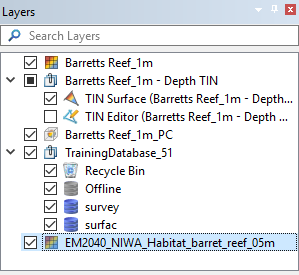
The selected coverage(s) is opened and added to the Layers window using the OBJNAM attribute value as the layer name.
 ,
, 